 Presly
PreslyvsResy:tablebookingandsocial,sidebyside
Resy is a reservation and table management platform with four monthly plans. Presly pairs a table booking page with AI social media posting and an inbox at one flat monthly price. Here is what each one includes, with sources.
Updated
Quick answer
Resy is a reservation and table management platform with a monthly fee, no per-cover fees, and marketing to American Express Card Members. Presly is a social media autopilot with table booking included in Growth and Pro at a flat monthly price.
Choose Presly if…
Presly fits a small restaurant or cafe that wants a booking link and QR code, requests it approves (or confirms automatically), email reminders, and social posts written and published for it on up to 10 platforms, all on one plan.
Choose Resy if…
Resy fits a restaurant that wants exposure to Amex Card Members through Amex Maps and Resy editorial, takes deposits, prepayments, or credit card holds, runs a walk-in waitlist with Notify alerts, connects a POS, or sells ticketed events and experiences.
Presly vs Resy
Side by side, feature for feature.
Monthly price with table reservations
Presly: Growth $79/mo, or $63/mo billed annually. Pro $159/mo, or $127/mo billed annually
Resy: Platform or Essential $289/month. Platform 360 or Premium $459/month
Per-cover fees
Presly: Flat plan price, no per-cover fees
Resy: No per-cover fees
Bookings included
Presly: Growth: 500 restaurant bookings/mo. Pro: unlimited
Resy: One monthly fee, no fees per reservation
Where guests book
Presly: One booking link plus a QR code you share anywhere
Resy: Resy, plus Reserve with Google and other search, AI, and discovery integrations
Table setup
Presly: You set your tables, limits, and hours
Resy: Table management with pacing controls and table reconfiguration
What guests can book
Presly: Restaurant tables, plus appointments in the same Booking setup
Resy: Reservations, experiences, events, and add-ons
Guest confirmations and reminders
Presly: Confirmation and reminder emails, plus a private link to manage or cancel
Resy: Automated confirmations, reminders, and more
| Feature | Presly | Resy |
|---|---|---|
| Monthly price with table reservations | Growth $79/mo, or $63/mo billed annually. Pro $159/mo, or $127/mo billed annually | Platform or Essential $289/month. Platform 360 or Premium $459/month |
| Per-cover fees | Flat plan price, no per-cover fees | No per-cover fees |
| Bookings included | Growth: 500 restaurant bookings/mo. Pro: unlimited | One monthly fee, no fees per reservation |
| Where guests book | One booking link plus a QR code you share anywhere | Resy, plus Reserve with Google and other search, AI, and discovery integrations |
| Table setup | You set your tables, limits, and hours | Table management with pacing controls and table reconfiguration |
| What guests can book | Restaurant tables, plus appointments in the same Booking setup | Reservations, experiences, events, and add-ons |
| Guest confirmations and reminders | Confirmation and reminder emails, plus a private link to manage or cancel | Automated confirmations, reminders, and more |
How Presly booking works
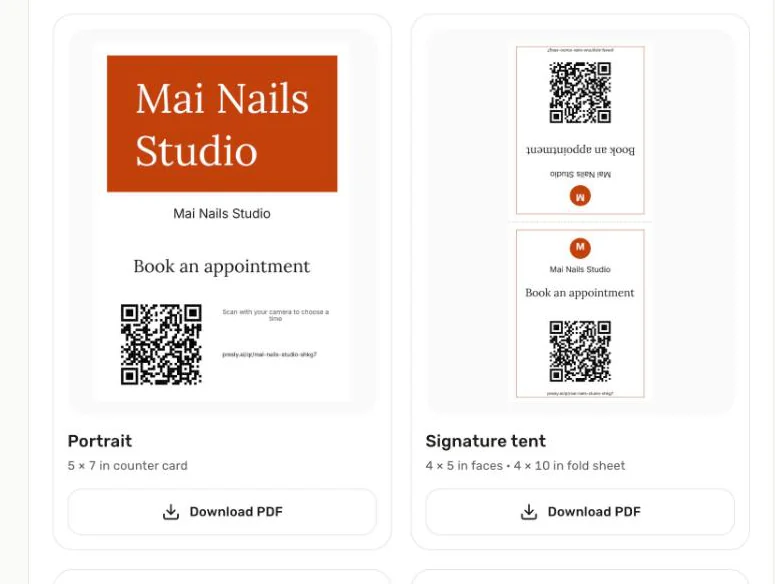
Step 1
Share your link
Print your QR code or share your booking link.
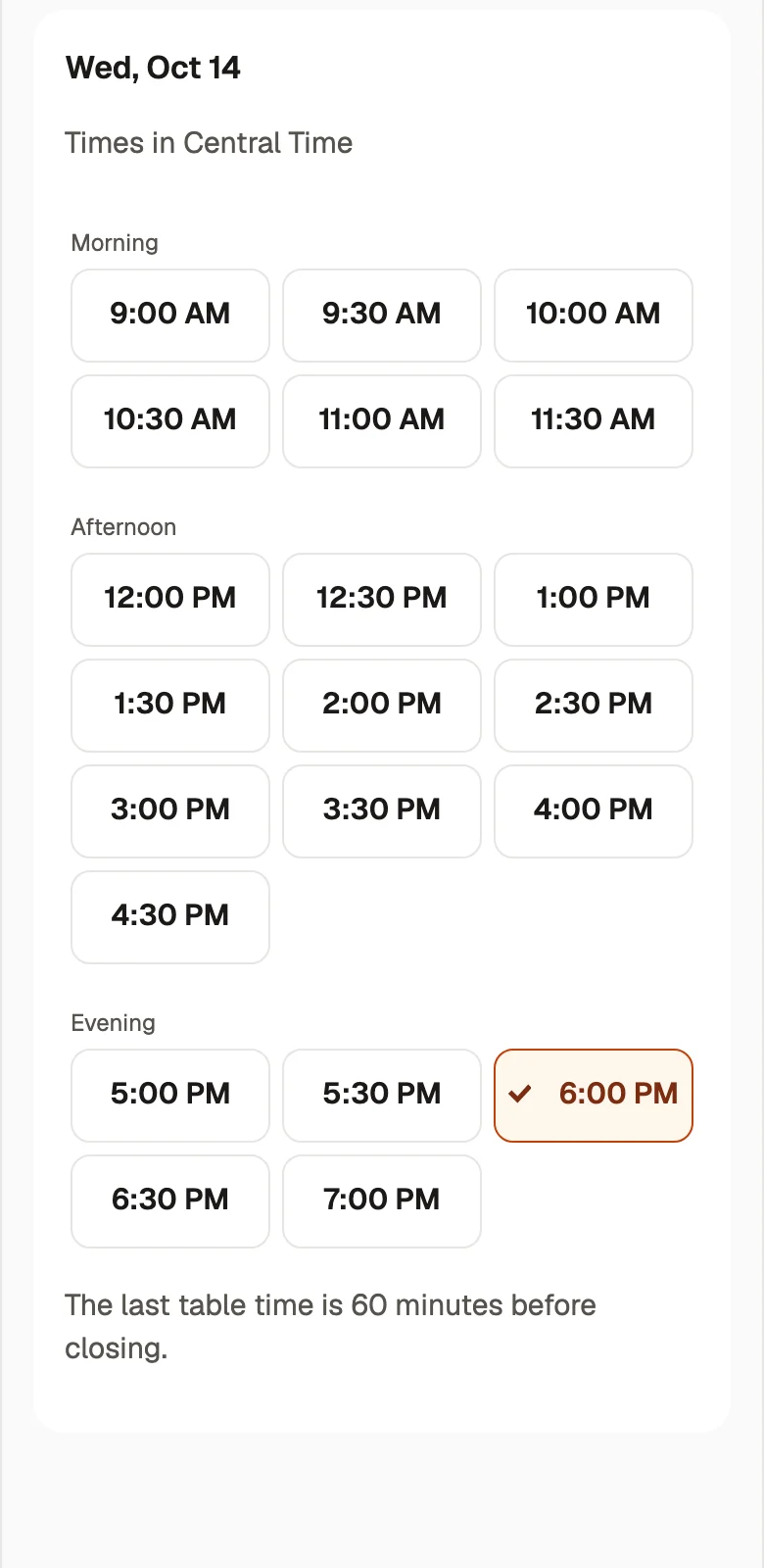
Step 2
Guests pick a time
They choose a party size and an open table time.
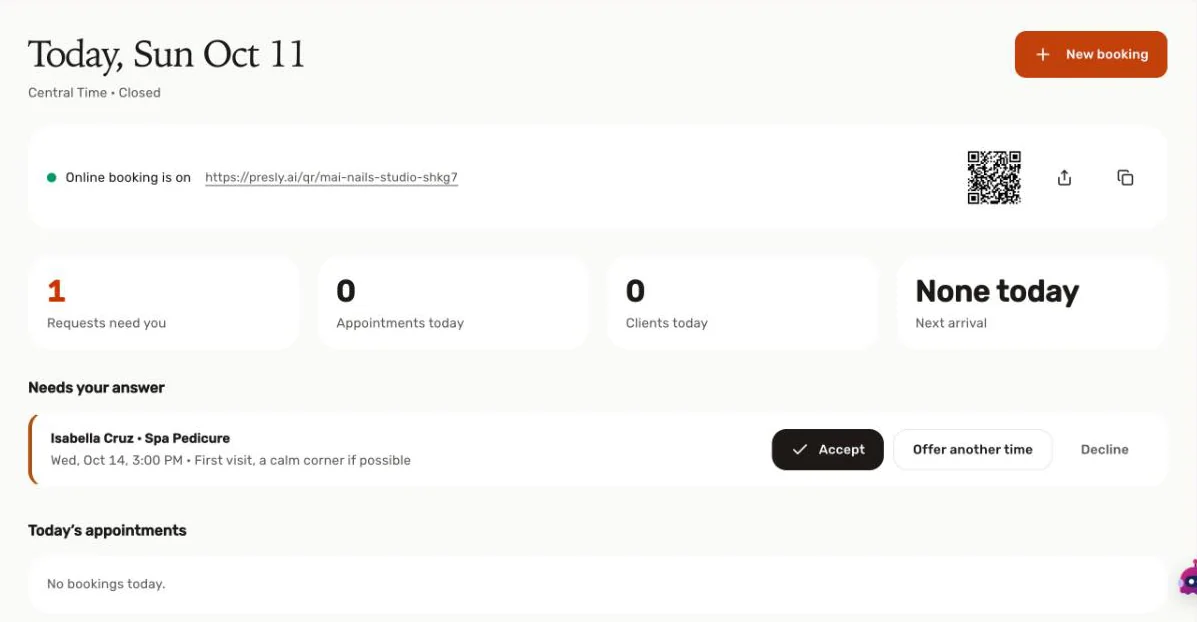
Step 3
You accept from Today
New requests wait in Today until you tap Accept.
Set up online table reservations in 3 steps: add your tables, pick your hours, and share your booking link.
What Presly includes
- Restaurant table reservations are included in Growth ($79/mo) and Pro ($159/mo) with no per-cover fees.
- Growth includes 500 restaurant bookings per month, and Pro includes unlimited bookings.
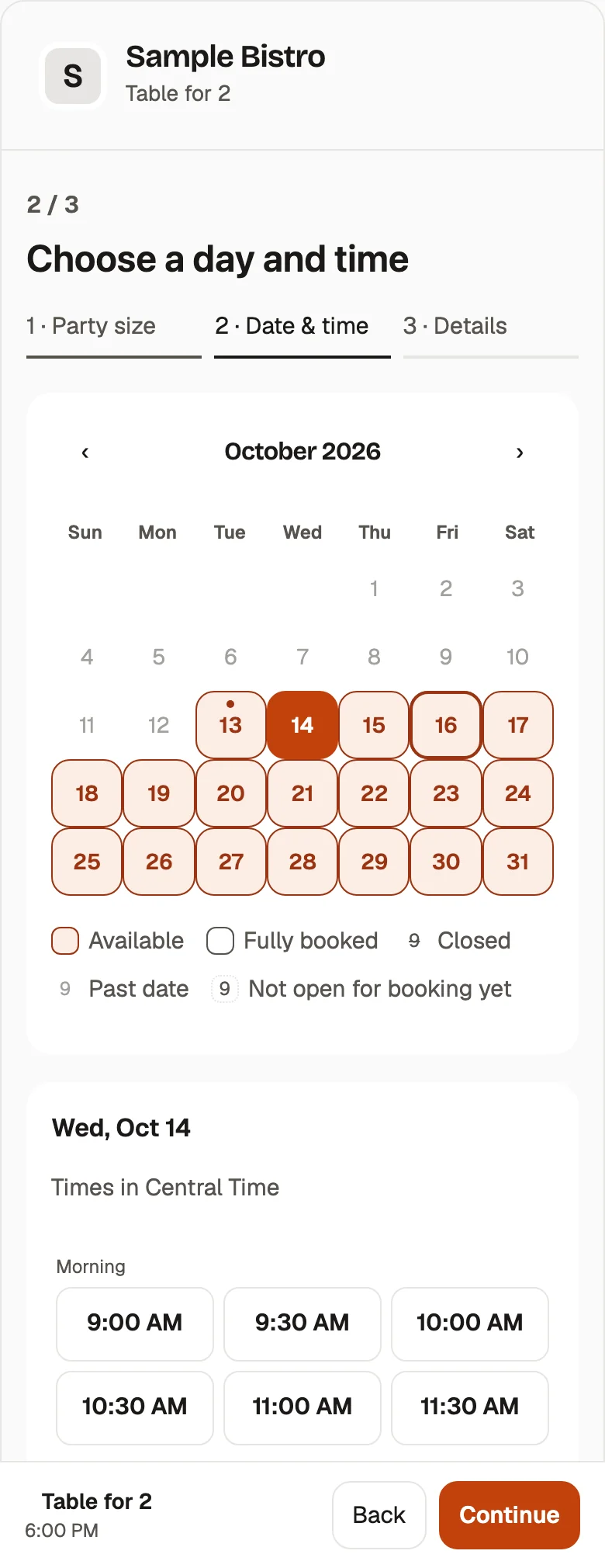
- You share one booking link and a QR code, and guests choose a party size, then a date and time.
- You set your tables, limits, and hours, and bookings run in your restaurant's time zone.
- By default each request waits for you to Accept, Offer another time, or Decline, and you can turn on "Confirm automatically" whenever you like.
- Guests get confirmation and reminder emails and can manage or cancel through a private link.
- The guest booking page is available in English, Vietnamese, and Spanish.
- AI writes captions and images, then schedules and auto-publishes to Instagram, Facebook, Google Business Profile, TikTok, LinkedIn, YouTube, Pinterest, Threads, Bluesky, and X.
- With autopilot off, every post waits for your OK before it goes out.
- Growth and Pro include a unified inbox for comments and DMs with AI-drafted replies that you send.
Things to know about Resy
- Resy lists Platform and Essential at $289/month, and Platform 360 and Premium at $459/month.
- Essential and Premium are powered by Tock and carry a 3% and a 2% fee on prepayments respectively, with standard payment processing fees on top.
- Resy states it charges no per-cover fees and no fees per reservation.
- Resy offers credit card holds, cancellation fees, deposits, and prepayment to help reduce no-shows.
- Resy includes walk-in waitlists and Notify alerts that tell interested guests when a reservation opens up.
- Resy lists POS integrations and demand integrations with search, AI, and discovery platforms, including Reserve with Google.
- Resy and American Express market partner restaurants to Amex Card Members through channels such as Amex Maps and Resy editorial.
- Resy supports ticketed events and experiences alongside ordinary reservations.
- Resy offers chat and email support, with on-demand phone support for live partners.
- Resy's plans page asks restaurants to book a demo to get started.
Frequently asked questions
How much does Resy cost compared with Presly?
Resy lists Platform and Essential at $289/month and Platform 360 and Premium at $459/month, with a 3% or 2% fee on prepayments for Essential and Premium. Presly includes table booking in Growth at $79/mo and Pro at $159/mo, or $63 and $127 per month billed annually.
What does Presly charge per reservation?
Nothing per reservation. Booking is part of the Growth and Pro plan price, with 500 restaurant bookings per month on Growth and unlimited bookings on Pro.
How do guests book a table with Presly?
Guests open your booking link or scan your QR code, choose a party size, then pick a date and time. The guest page is available in English, Vietnamese, and Spanish and uses your restaurant's time zone.
Do I have to approve every table booking?
By default, yes. Each request waits for you to Accept, Offer another time, or Decline, and you can turn on "Confirm automatically" if you want bookings confirmed right away.
Can Presly handle appointments as well as tables?
Yes. Growth and Pro include both restaurant table reservations and appointments, so a cafe that also runs classes or tastings by appointment can use one booking setup.
Can I keep Resy and use Presly for social media?
Yes. Presly Starter at $39/mo covers AI posting and scheduling, so you can keep Resy for reservations and use Presly to write and publish posts.
Try Presly for 7 days
Card required. Cancel anytime before the trial ends and you pay nothing.
Start free trialSources (checked October 12, 2026)
- Platform $289/month; Essential $289/month (powered by Tock, 3% fee on prepayments); Platform 360 $459/month; Premium $459/month (powered by Tock, 2% fee on prepayments); standard payment processing fees applyresy.com
- No per-cover fees; no fees on a per reservation basis; one monthly feeresy.com
- Plan features: walk-in waitlists, events, Notify, credit card holds/cancellation fees, deposits, prepayment, chat and email support, on-demand phone support for live partners, POS integrations, demand integrations with search, AI, and discovery platformsresy.com
- Book a demo call to action on the plans pageresy.com
- Pacing controls and table reconfiguration; reservations, experiences, events, and add-ons; Reserve with Google integration; automated confirmations, reminders, and moreresy.com
- Amex Card Member marketing, Amex Maps, and Resy editorial spotlights for partnersresy.com