 Presly
PreslyvsCalendly:shopbookingormeetingscheduler
Calendly schedules meetings and calls from your calendar. Presly gives a local business a booking page for services or tables, plus AI social media on autopilot. Here is how they compare for a shop deciding between the two.
Updated
Quick answer
Calendly is a meeting scheduler; Presly is a shop booking page that comes with AI social media on Growth and Pro.
Choose Presly if…
Presly fits a local service business or restaurant that wants customers to pick a service, a team member or "Anyone," or a table size, approve each request, and also wants its social posts created and published for it.
Choose Calendly if…
Calendly fits a business that books consultations or calls, needs video meeting links, text reminders, or upfront payment through Stripe or PayPal, or only needs a free single event type.
Presly vs Calendly
Side by side, feature for feature.
Price
Presly: Growth $79/mo ($63/mo billed annually), booking included
Calendly: Free plan; Standard $12 per seat/mo billed monthly or $10 billed yearly
Team booking
Presly: Customer picks a team member or "Anyone"; 5 staff on Growth, unlimited on Pro
Calendly: Round-robin and team scheduling on Teams, $20 per seat/mo billed monthly or $16 billed yearly
What customers book
Presly: Services (appointments) or restaurant tables by party size
Calendly: Event types such as one-on-one meetings
Email confirmations and reminders
Presly: Confirmation and reminder emails
Calendly: Automations and reminders on Standard and up
Try before you pay
Presly: 7-day free trial on Starter, Growth, and Pro (card required)
Calendly: Free plan with one event type and one calendar connection
| Feature | Presly | Calendly |
|---|---|---|
| Price | Growth $79/mo ($63/mo billed annually), booking included | Free plan; Standard $12 per seat/mo billed monthly or $10 billed yearly |
| Team booking | Customer picks a team member or "Anyone"; 5 staff on Growth, unlimited on Pro | Round-robin and team scheduling on Teams, $20 per seat/mo billed monthly or $16 billed yearly |
| What customers book | Services (appointments) or restaurant tables by party size | Event types such as one-on-one meetings |
| Email confirmations and reminders | Confirmation and reminder emails | Automations and reminders on Standard and up |
| Try before you pay | 7-day free trial on Starter, Growth, and Pro (card required) | Free plan with one event type and one calendar connection |
How Presly booking works
Step 1
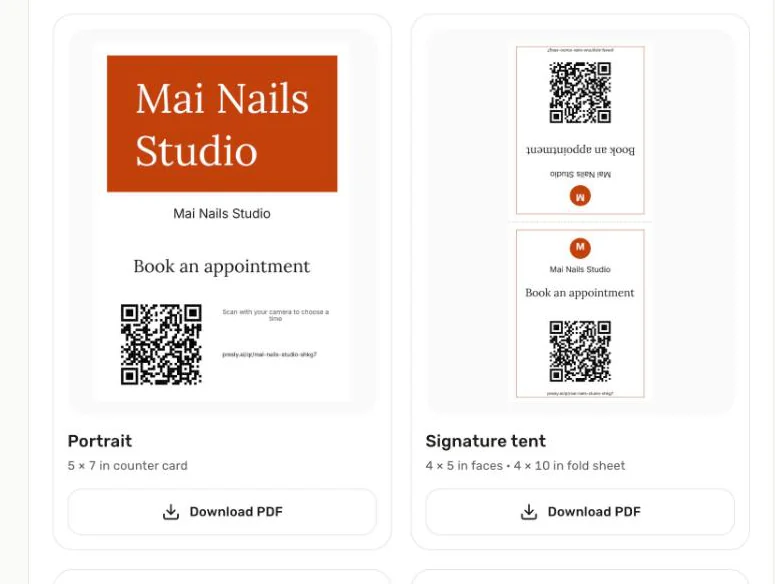
Share your link
Print your QR code or share your booking link.
Step 2
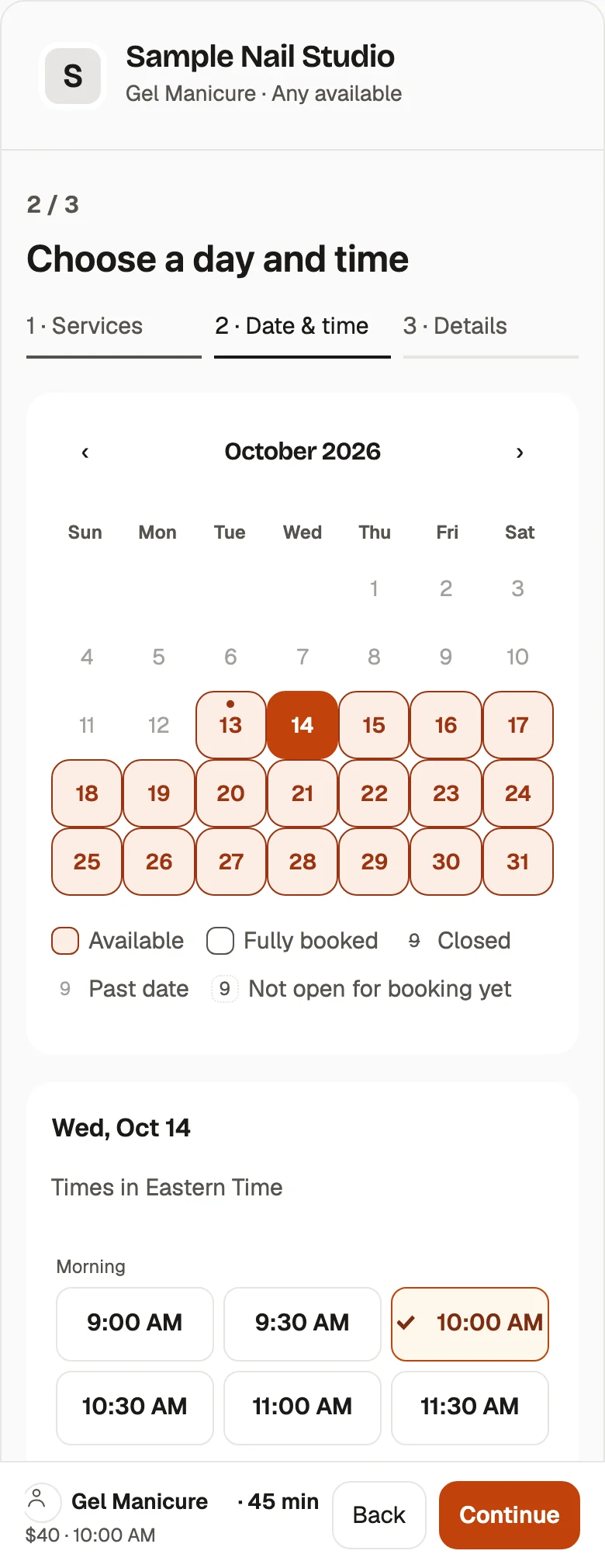
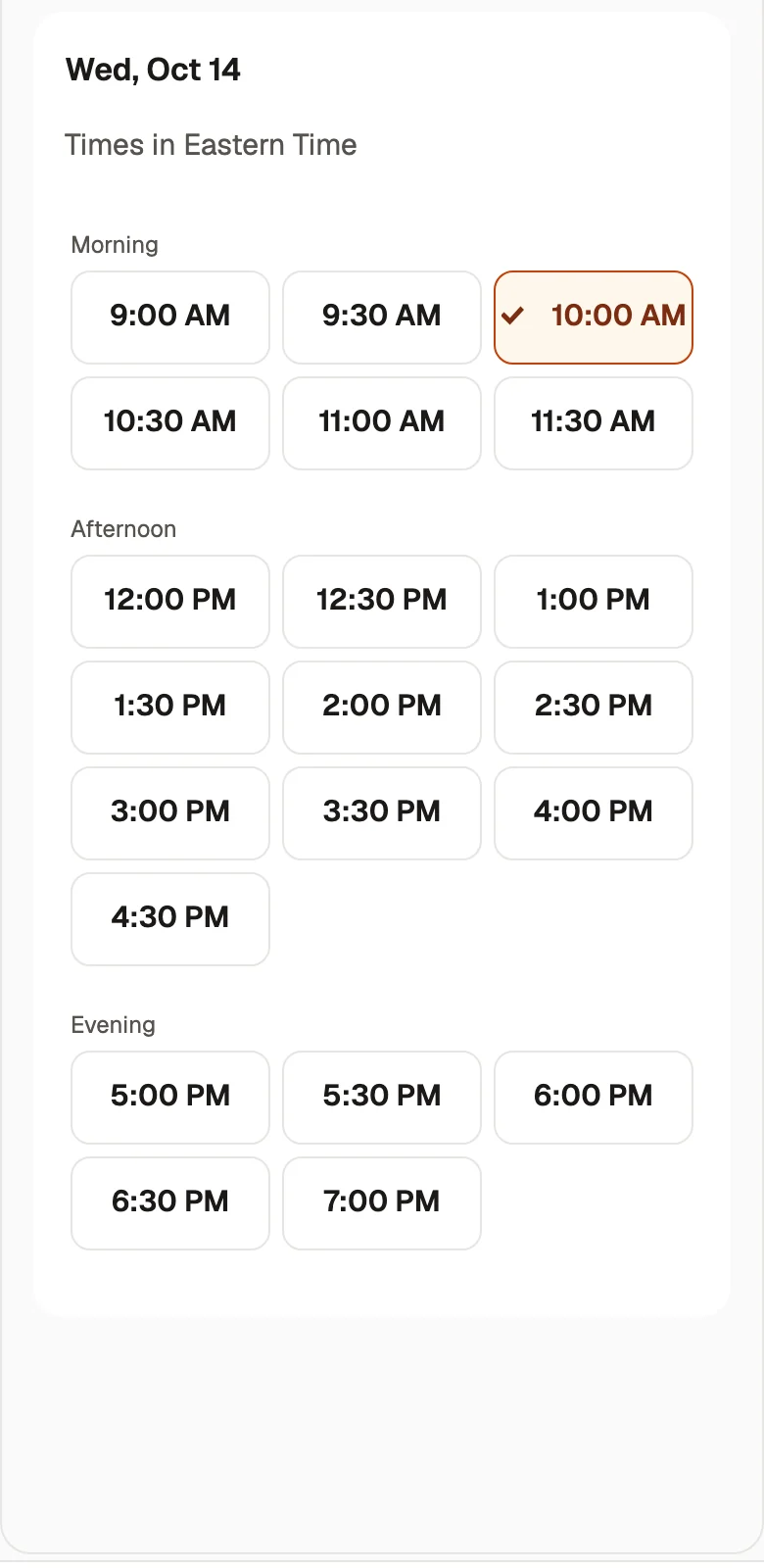
Customers pick a time
They choose a service, anyone or a favorite person, and an open time.
Step 3
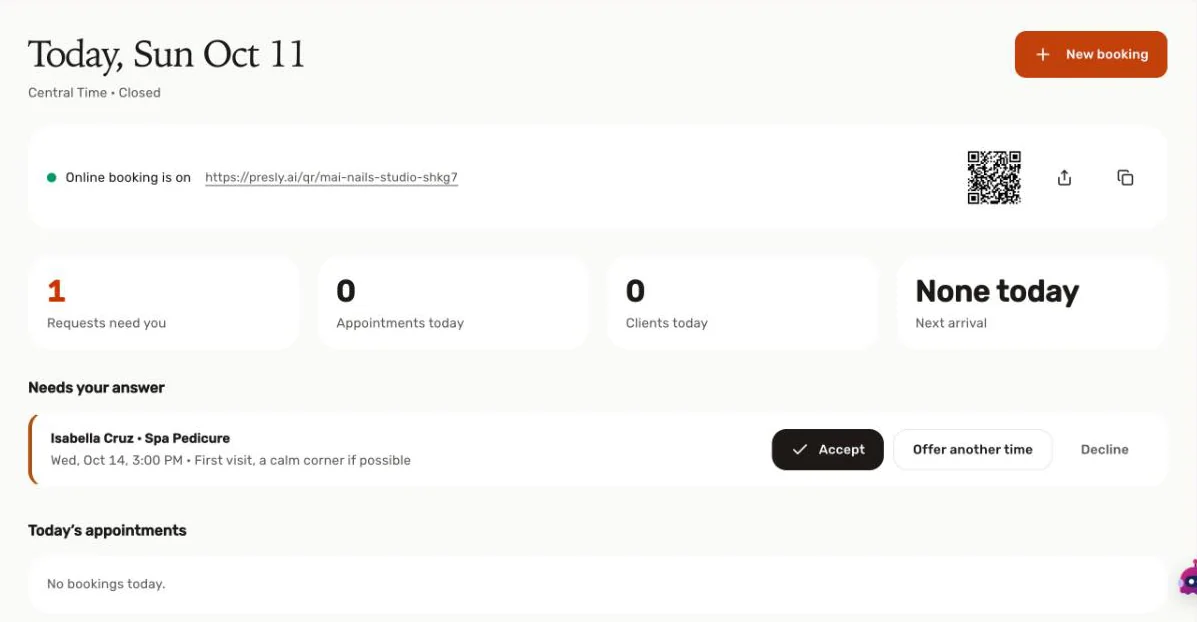
You accept from Today
New requests wait in Today until you tap Accept.
Set up online booking in 3 steps: add your services from a photo of your price list, pick your hours, and share your link.
What Presly includes
- Booking for appointments and restaurant tables is included in Growth ($79/mo) and Pro ($159/mo) at no extra charge.
- Customers book from one link or QR code, choosing a service and a team member or "Anyone," or a party size for tables.
- By default nothing is booked until you Accept, Offer another time, or Decline, and you can turn on "Confirm automatically" instead.
- Bookings run on your shop's time zone, and customers get confirmation and reminder emails.
- Customers can manage or cancel their booking through a private link.
- You can import your services from a photo or PDF of your price list.
- AI writes captions and images, then schedules and auto-publishes them to 10 platforms including Instagram, Facebook, and Google Business Profile.
- Growth and Pro include a unified inbox for comments and DMs with AI-drafted replies that you send.
Things to know about Calendly
- Calendly is built around meeting event types, such as one-on-one and team meetings.
- The Free plan includes one event type and one calendar connection.
- Paid plans are priced per seat: Standard is $12/mo billed monthly or $10/mo billed yearly, and Teams is $20/mo billed monthly or $16/mo billed yearly.
- Round-robin and team scheduling are on the Teams plan.
- Text reminders are limited to 250 SMS credits per seat per month on non-Enterprise plans and cannot be sent during a trial.
- Payment collection through Stripe or PayPal requires a paid plan.
Frequently asked questions
Can a salon or restaurant use Calendly for bookings?
Yes, any business can share a Calendly booking page, but Calendly is organized around meeting event types and calendar connections. Presly's booking page is organized around your services and team members, or table party sizes for restaurants.
Is Calendly free?
Calendly has a free plan with one event type and one calendar connection. Its Standard plan is $12 per seat per month billed monthly or $10 billed yearly, and Teams is $20 per seat per month billed monthly or $16 billed yearly.
How much does booking cost on Presly?
Booking is included in Growth at $79/mo ($63/mo billed annually) and Pro at $159/mo ($127/mo billed annually). Growth covers 5 staff and 500 restaurant bookings a month, Pro is unlimited, and Starter ($39/mo) covers social posting.
Can I approve each booking before it is confirmed?
Yes, on Presly that is the default. Nothing is booked until you Accept, Offer another time, or Decline, and you can switch on "Confirm automatically" if you prefer.
What languages is the Presly booking page in?
The customer booking page is available in English, Vietnamese, and Spanish. Bookings run on your shop's time zone, and customers get confirmation and reminder emails with a private link to manage or cancel.
Where can customers find my Presly booking link?
Anywhere you share it. Presly gives you one booking link and a QR code, so you can add it to your Instagram bio, your Google Business Profile, your website, or a sign at the door.
Try Presly for 7 days
Card required. Cancel anytime before the trial ends and you pay nothing.
Start free trialSources (checked October 12, 2026)
- Free plan: one event type, one calendar connection, one-on-one schedulingcalendly.com
- Standard $12 per seat/mo billed monthly, $10 billed yearly; Teams $20 per seat/mo billed monthly, $16 billed yearly (USD)calendly.com
- Teams adds round-robin and team schedulingcalendly.com
- Standard includes automations and reminders, Stripe and PayPal connections, and video conferencing details for Zoom, Google Meet, Microsoft Teamscalendly.com
- Text messages via Automations on Professional, Standard, Standard Plus, Teams, Teams Plus, Enterprise; no text reminders during trialcalendly.com
- 250 SMS credits per seat, per month on non-Enterprise planscalendly.com
- Stripe payments available on paid plans (Professional, Standard, Standard Plus, Teams, Teams Plus, Enterprise)calendly.com